iCompaas Inc changelog

New features and improvements shipped in iCompaas.

New

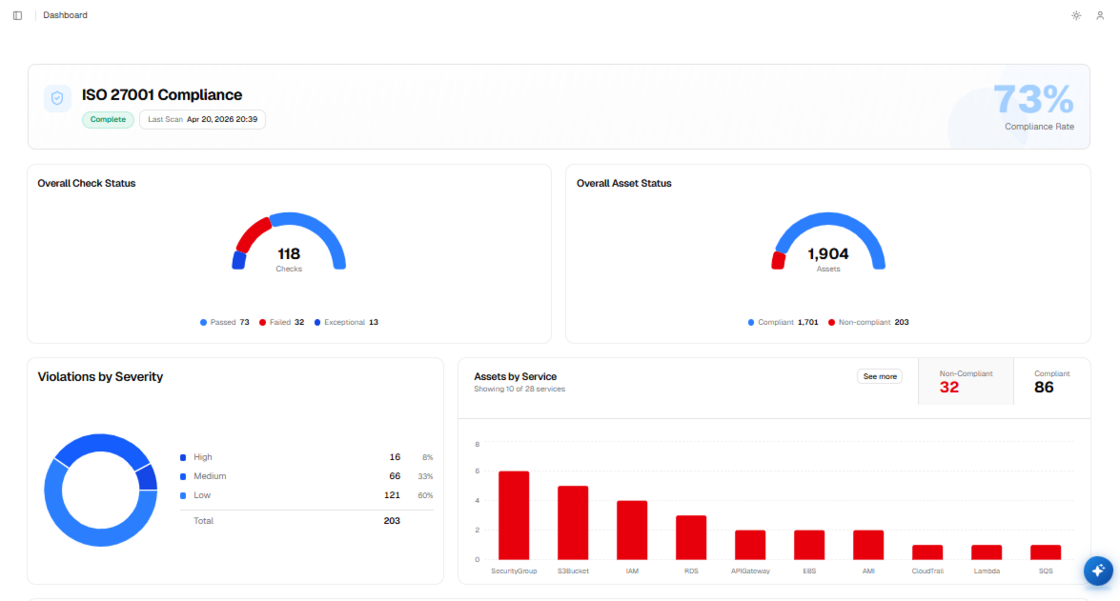
Ensure your databases and infrastructure comply with India's personal data regulations using our new DPDP compliance framework mapping.
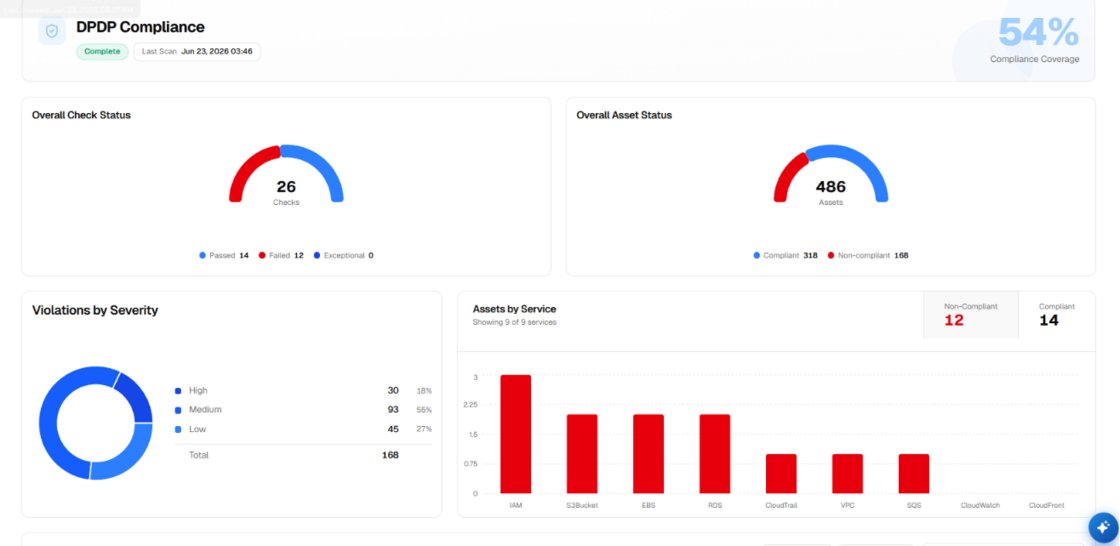
image.png

What you can see:

  • India’s Digital Personal Data Protection (DPDP) Act framework integrated into the dashboard.
  • Cloud check mappings aligned with DPDP-specific privacy controls.
  • Detailed pass/fail compliance logs highlighting data security gaps.
  • Clause-level mapping of the DPDP Act to system checks.
  • Dynamic dashboard cards tracking overall DPDP compliance health.

Key benefits:

  • Run automated on-demand scans to assess systems against DPDP requirements.
  • Quickly remediate privacy gaps with step-by-step guidance.
  • Strengthen regional trust by demonstrating adherence to India’s data protection standards.
  • Simplify global compliance expansion with pre-built regulatory mappings.

The DPDP compliance module empowers organizations to protect personal data and align confidently with India's privacy regulations with minimal effort.

iCompaas, Customer Business Team

New

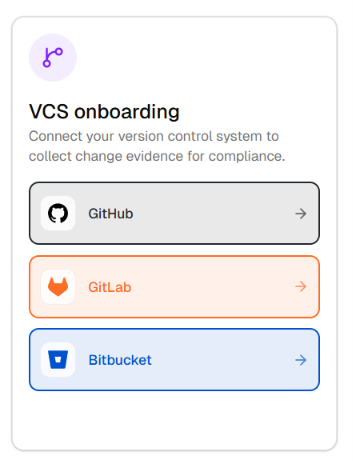
Connect your GitHub, GitLab, and Bitbucket accounts directly in the application to automate security scans and evidence collection for your code repositories.

image.png

What you can see:

  • A clean onboarding dashboard showing all connected VCS accounts and their latest synchronization times.
  • Simple repository selection lists grouped by development organization.
  • On-demand scan controls to check repository files for security issues.
  • Individual repository cards with compliance passes, failures, and warning counts.
  • Easy disconnect actions that instantly clean up synced repository lists.

Key benefits:

  • Automate source code audits without manual configuration.
  • One portal to manage GitHub, GitLab, and Bitbucket security.
  • Retrieve audit-ready reports mapped directly to compliance controls.
  • Strengthens code security with credential-free read-only permissions.

VCS Integrations bridge the gap between development and compliance, giving teams continuous audit readiness and automated visibility into code changes without breaking their workflow.

iCompaas, Customer Business Team

New

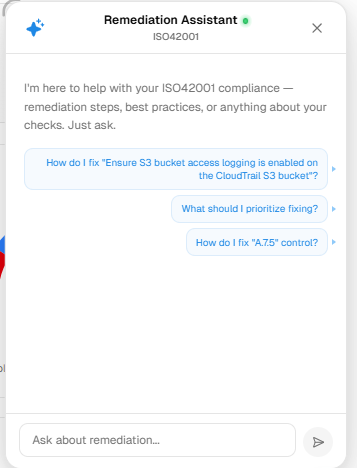
Automatically identify and fix compliance issues across your cloud environment.

image (9).png

iCompaas introduces an AI-powered Remediation Assistant that helps you quickly understand and resolve failed compliance controls across AWS, Azure, and GCP. It provides clear, step-by-step guidance so your team can remediate issues without manual research or guesswork.

What you can see:

  • Real-time detection of failed compliance controls
  • Clear visibility into which checks triggered the failure
  • Step-by-step remediation guidance (console, CLI, and policy updates)
  • Pre-requisites required before making changes
  • Impact insights covering security, cost, and availability
  • Built-in rollback instructions for safe changes
  • Guidance aligned with iCompaas knowledge and official cloud documentation

Key benefits:

  • Fix compliance issues faster with guided actions
  • Reduce manual effort and dependency on cloud experts
  • Avoid risks with clear impact and rollback visibility
  • Stay continuously compliant across AWS, Azure, and GCP
  • Prioritize high-risk issues with smarter recommendations

The AI Remediation Assistant helps teams move from detection to resolution quickly and confidently, turning complex compliance tasks into simple, actionable steps.

iCompaas, Customer Business Team

New

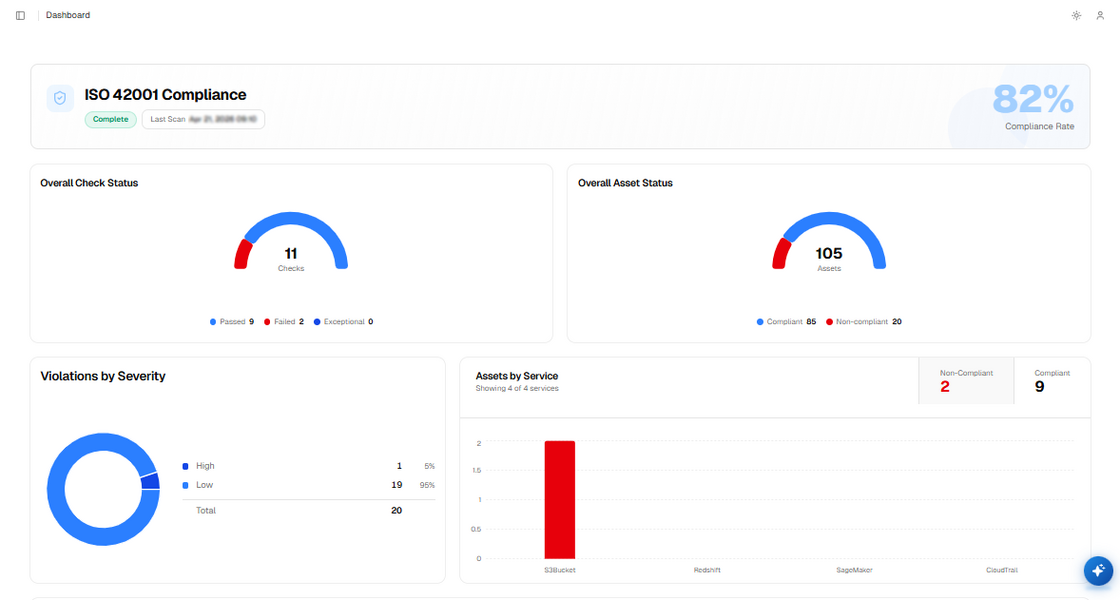
Easily manage and achieve ISO/IEC 42001 compliance for your AI systems.

iCompaas now supports ISO/IEC 42001, the global standard for responsible AI. You can manage your AI systems, track risks, and prepare for certification - "All in one place".

iso42001.png

What you can see:

  • ISO/IEC 42001 framework available directly in the platform
  • Simple mapping of AI systems to required controls
  • Ready-to-use controls for AI governance and risk management
  • Step-by-step guidance to implement AI compliance
  • Pre-built policy templates for responsible AI usage
  • Clear view of compliance status and progress
  • Fully aligned for audit and certification readiness

Key benefits:

  • Reduce manual effort and complexity
  • Get audit-ready faster
  • Improve trust in your AI systems
  • Ensure proper governance and risk management
  • Move smoothly towards ISO/IEC 42001 certification

ISO/IEC 42001 helps organizations build secure, reliable, and well-governed AI systems. With iCompaas, you can go from setup to certification in a structured and efficient way.

iCompaas, Customer Business Team

New

Seamless integration of your workforce for compliance management.

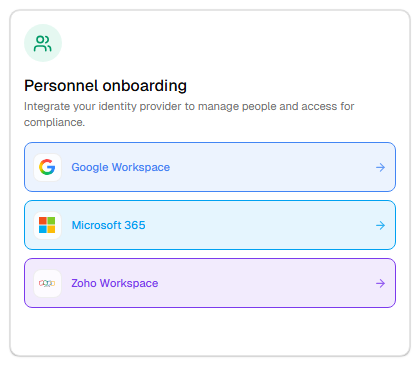
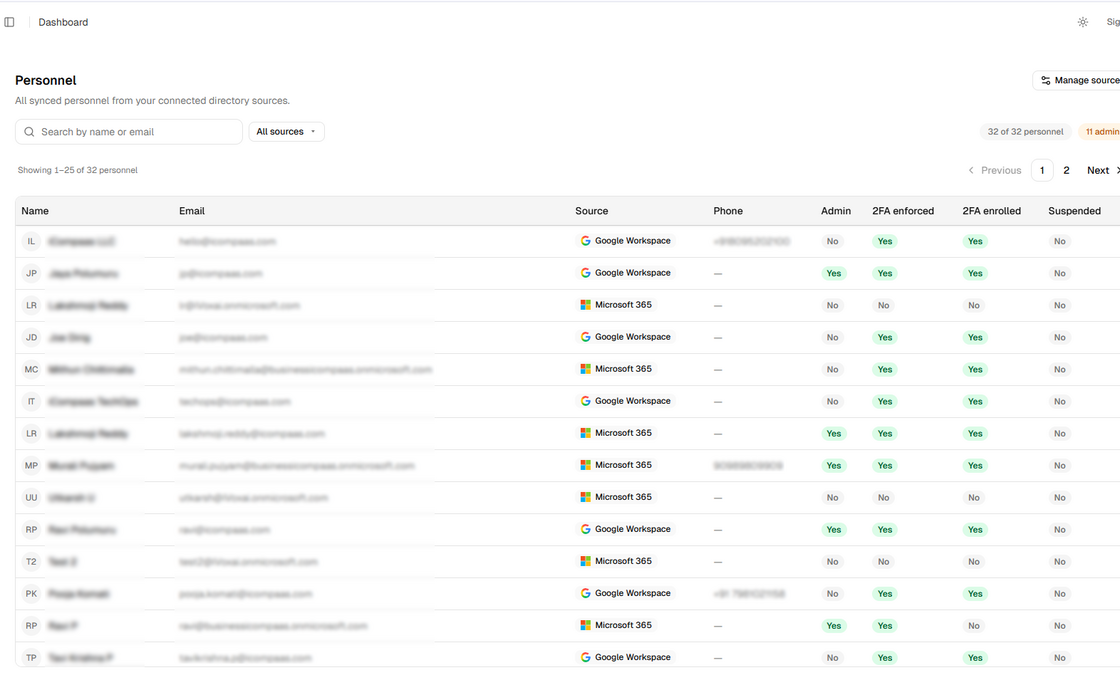
Personnel Integration connects your organization’s user directories from platforms like Office 365, Google Workspace, and Zoho, bringing all employee data into iCompaas for streamlined compliance tracking and accountability.

What you can see:

  • Integration with Office 365, Google Workspace, and Zoho
  • Centralized view of all employee details in one place
  • Visibility into MFA status, including whether it is enforced and enabled
  • Automatic syncing of employee data and user updates
  • Mapping of users to compliance controls and responsibilities

Personnel Integration replaces manual user tracking with automated visibility and control, helping ensure accurate records, improved security posture, and audit readiness.


Personnel Onboarding dashboard:

Screenshot 2026-04-21 165323.png


User details with MFA status visibility:

image.png


iCompaas, Customer Business Team

New

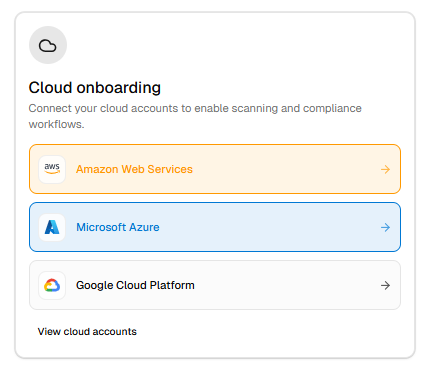
Expanded cloud compliance across major platforms.

iCompaas now along with AWS supports integrations with Microsoft Azure and Google Cloud Platform (GCP), enabling continuous monitoring of cloud environments against compliance requirements.

What you can see:

  • Integration with Azure and GCP environments
  • Mapping of cloud configurations to compliance controls
  • Continuous monitoring of cloud compliance posture
  • Identification of misconfigurations and gaps
  • Multi-cloud alignment with certification requirements

Cloud Compliance replaces manual cloud reviews with continuous, automated monitoring aligned to compliance standards.


Cloud integration setup view:

Screenshot 2026-04-21 152357.png


Cloud compliance monitoring dashboard:

Screenshot 2026-04-21 152508.png


iCompaas, Customer Business Team

New

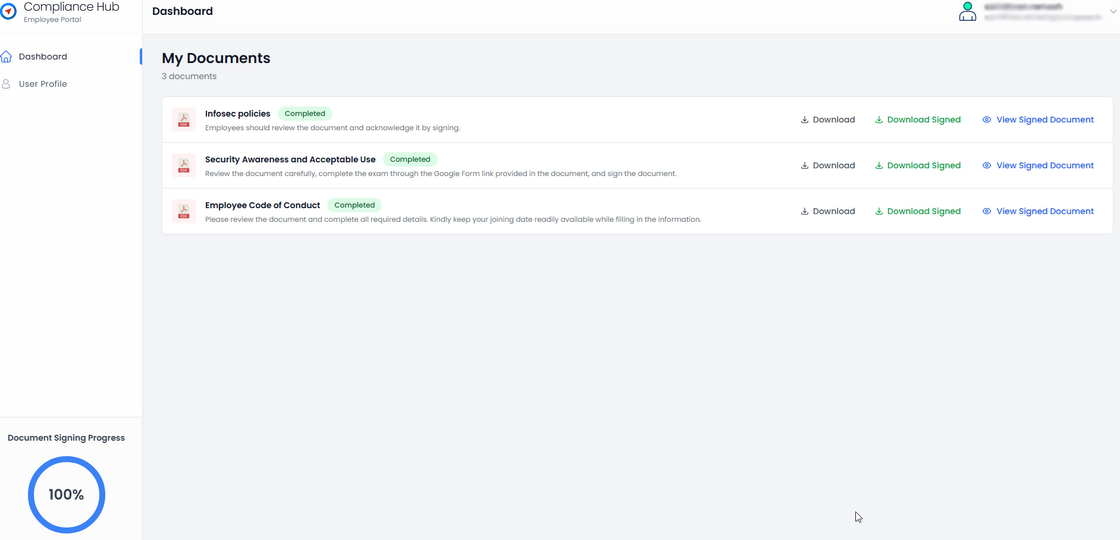
A centralized portal for managing employee acknowledgements.

Compliance Hub provides a single place where employees can review and acknowledge key compliance documents such as Code of Conduct, Security Awareness, and Information Security policies. It simplifies how acknowledgements are collected, tracked, and maintained across the organization.

What you can see:

  • Access to all compliance documents in one place
  • Employee acknowledgements with date tracking
  • Digital signature using auto-generated signature mechanism
  • Visibility into acknowledgement status across employees
  • Centralized tracking of completed and pending acknowledgements

Compliance Hub replaces manual follow-ups and scattered records with a streamlined, trackable system, making the entire compliance process easier, faster, and more reliable.


Centralized portal with compliance documents:

cb (1).png


iCompaas, Customer Business Team

New

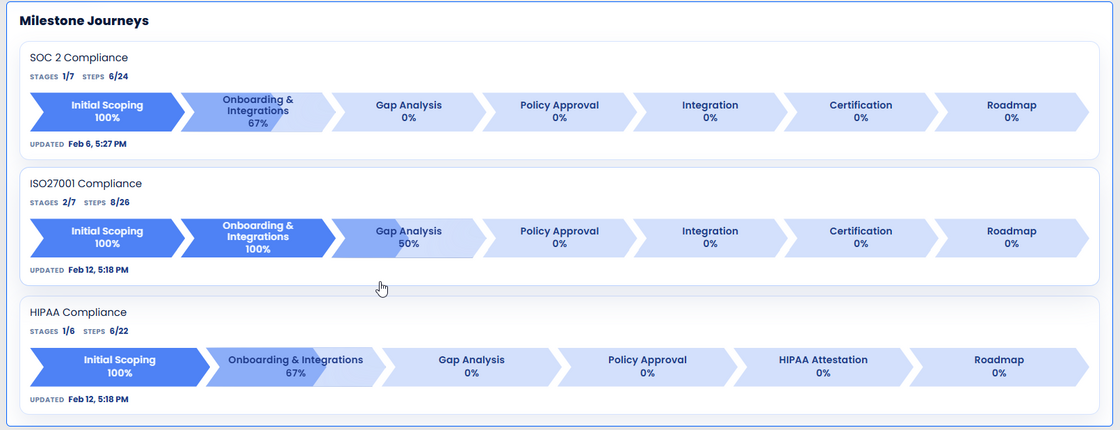
A clear, real-time view of your certification journey.

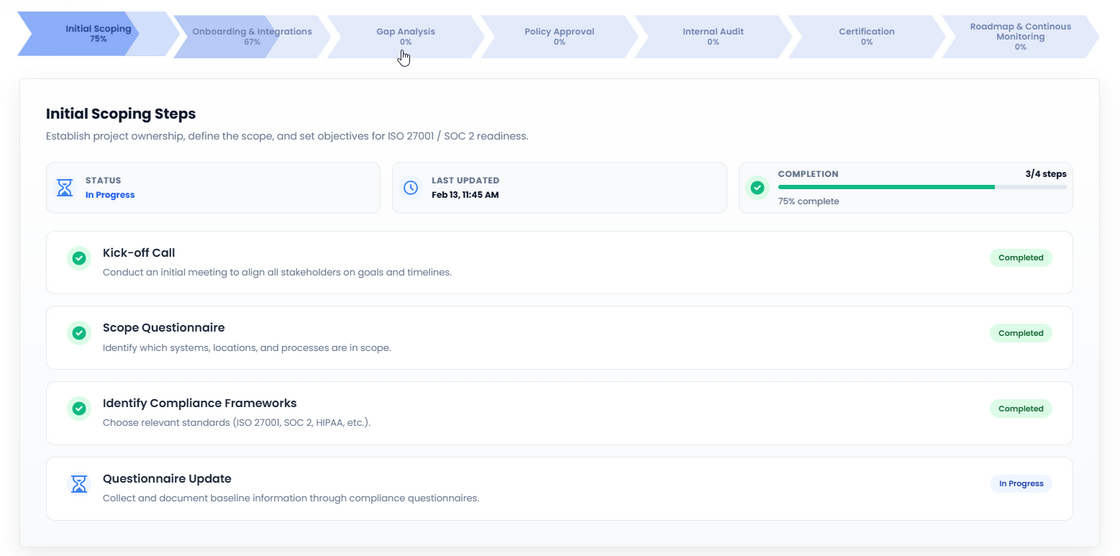
Milestone Journey shows how your certification progresses from onboarding through certification, broken into clear, well-defined phases. At any point, you can see where things stand and what comes next — without manual tracking or status calls.

What you can see:

  • End-to-end certification journey in one view
  • Clearly defined phases (scoping, gap analysis, implementation, evidence, audit readiness)
  • Real-time status for each phase (completed, in progress, upcoming)
  • A single view of overall certification health

Milestone Journey replaces spreadsheets and fragmented updates with a single, reliable source of truth for certification progress.


Certification overview showing milestone status:

image.png


Detailed stage view with phase-level progress:

milestones.png

iCompaas, Customer Business Team

New

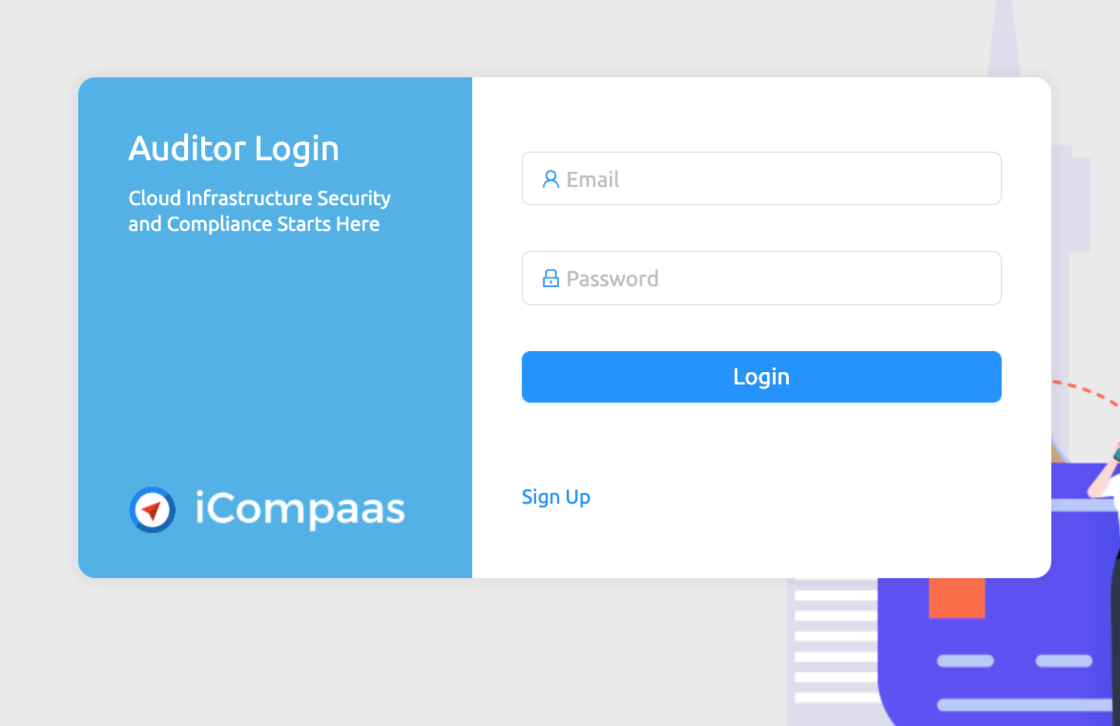
A complete workflow dedicated to make Auditor and clients life easy. The Auditor login (https://app.icompaas.com/auditor ) helps Auditors to review and approve processes and procedures. The client shares secure access to the auditor and can check and see if the documents are approved or give clarifications. This workflow enables efficient coordination and secures sensitive email trails.

auditor login.png

iCompaas, Customer Business Team

New

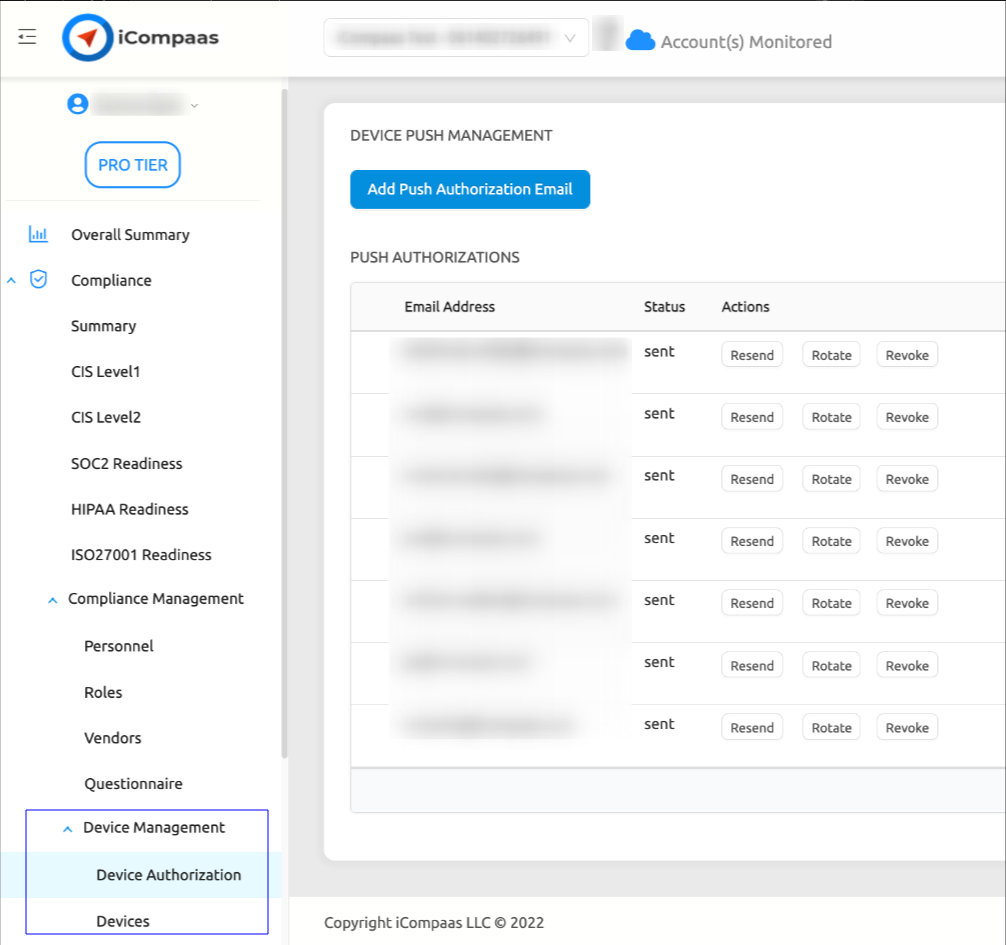
Device Management feature helps in Managing and maintaining devices in a customer/employee/client environment. It is used for the upkeep and maintenance of devices shared by employer, or employee popularly bring your own devices(BYOD).

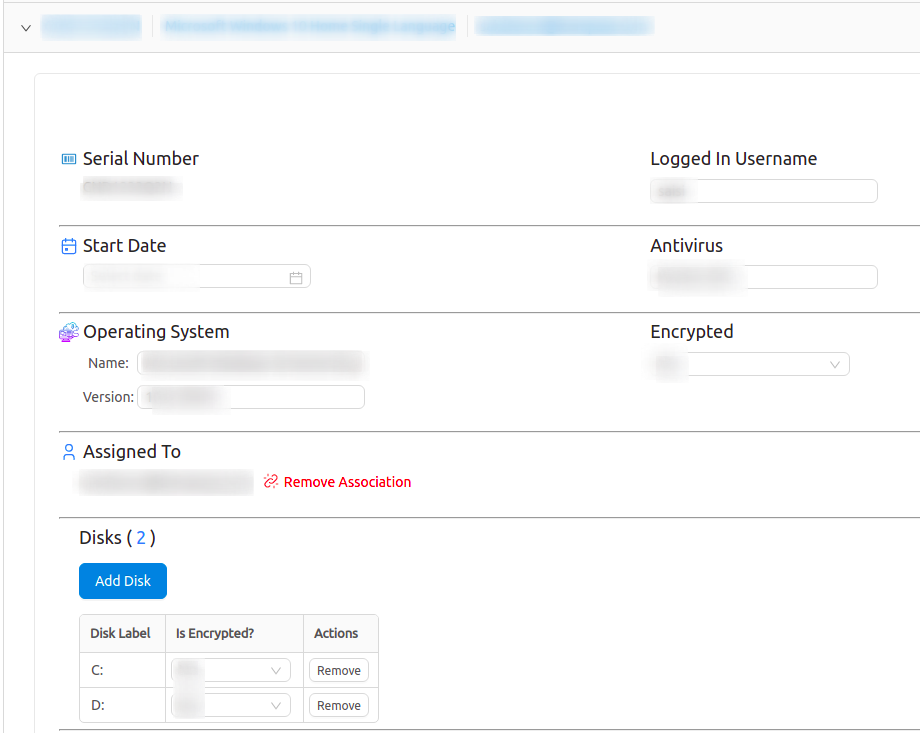
We can view and confirm the hardware serial number of the device, user info, latest patch for the OS and antivirus presence. The feature also helps to gather info on encryption of hard disk that is imperative if you have client information. By following simple instructions, the end users can install and configure as a one time activity, after which the data can be gathered by employee as and when required.

It makes it simple to securely register, monitor, organize, and remotely assess system security levels and related software versions. Benefits include quick device registration, and frequent updates when there is a change in the system.

dev-mgmt-01.png

dev-mgmt-02.png

iCompaas, Customer Business Team